


TEOS Book: Streamline room/desk booking

How TEOS Book helps
Take the friction out of finding and booking workspaces. TEOS Book lets employees search, reserve, and manage meeting rooms and hot desks from anywhere: via the web portal, mobile app, or room panel, with everything from equipment requests to no-show detection handled automatically.

See room availability instantly
No need to check an app or ask a colleague. Simply walk past any room and read the colour-coded status on the panel. Green means available, and you can book it on the spot in seconds, with no interruptions and no uncertainty.


Book rooms on the spot
The live timeline on each room panel shows exactly when a space is free. So you can book it instantly from the panel itself, without digging through calendars or switching between apps. Quick, straightforward, and stress-free.


Eliminate ghost meetings
If nobody checks in within a set time window, TEOS Book automatically releases the room, freeing it up for others and ensuring your space is never tied up by a meeting that never happened.


Find the right room, fast
Search available rooms by capacity, equipment, floor, or building. All in one clean view. No more jumping between calendars or guessing what’s free.


Order resources on demand
Need catering, AV equipment, or a whiteboard? Request everything you need directly from the room panel with just a few taps. Issues and faults can be reported in real time too, ensuring nothing disrupts your meeting and problems are resolved without delay.


Unlock your day with RFID
Your personal RFID tag gives you instant access to your bookings, lets you start or cancel meetings on the spot, and keeps you moving around the building without friction.

Book multiple spaces at once
Need a main room plus a smaller huddle space for breakout sessions? TEOS Book lets you find and reserve multiple spaces in one go. No back-and-forth, no separate bookings.
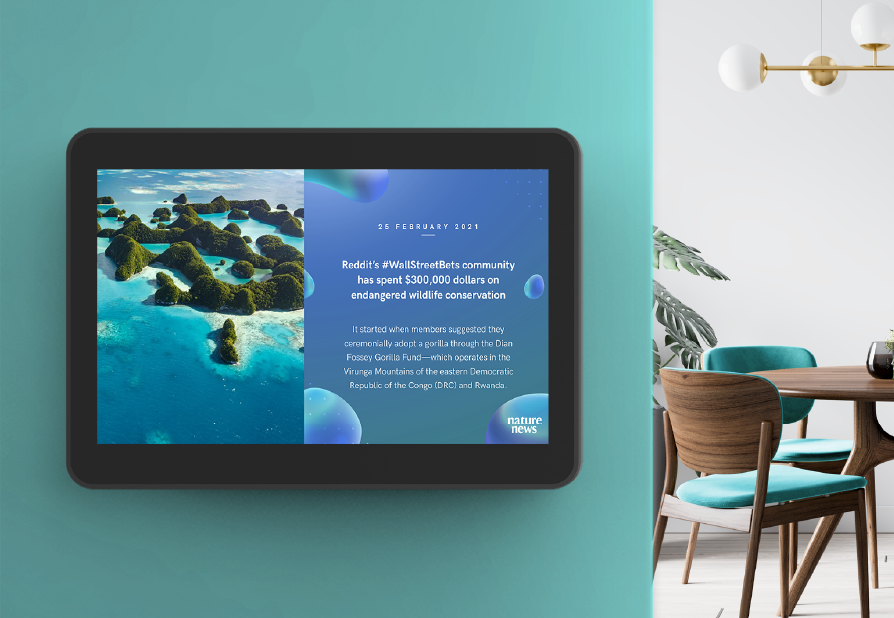
Put idle screens to work
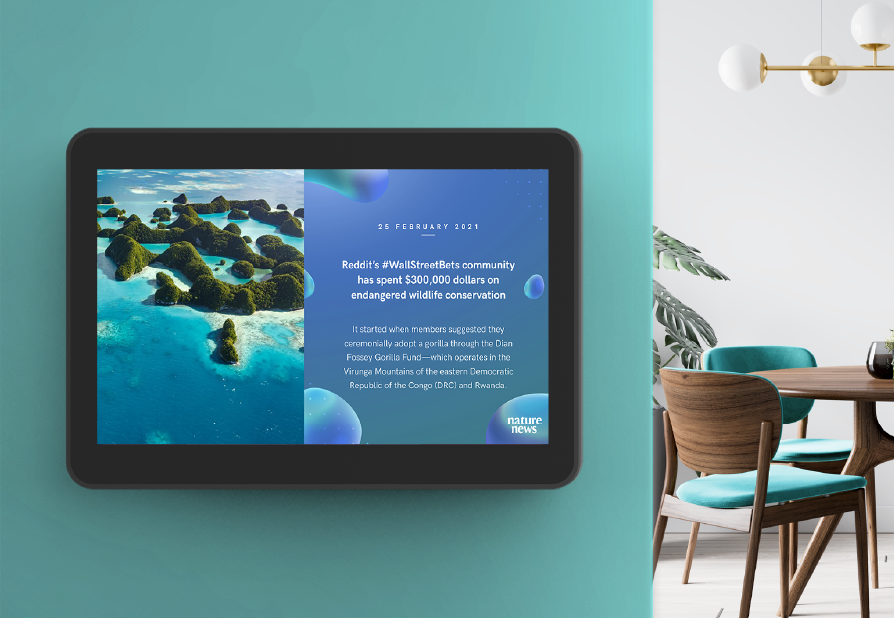
When a room panel goes idle, TEOS Book automatically displays custom signage (screensaver), turning downtime into an opportunity to share internal communications, highlight room amenities, or promote upcoming activities across your organization.
Monitor room availability
Help your employees to plan their day and find a space without interruption or guesswork. Displayed on screens in open areas and common spaces, TEOS Room Status provides a clear, real-time overview of each room’s availability, current meeting details, and capacity.

Explore TEOS Mobile
Give your teams the freedom to work on their terms. As part of the TEOS Manage ecosystem, the TEOS Mobile app lets employees find and book meeting rooms from anywhere. No company network needed. From amending meetings and controlling devices to reporting incidents, everything is managed from one intuitive app, keeping your people productive wherever the day takes them.

Manage bookings on the go
Whether on the move or working remotely, booking a meeting room should never slow you down. The TEOS app puts full control of your workspace in your pocket, so you can check availability, make reservations, and manage your schedule with ease, wherever the day takes you.
All booked before you arrive
Desks, meeting rooms, parking spots. Employees can take care of it all from the TEOS mobile app before they even step through the door, so every office day starts smoothly and without the stress.

Smart room control settings
Managing your office environment has never been simpler. Adjust lighting, set the temperature, and switch AV devices on or off. All from the room control settings in the app. Less time fiddling with equipment means more time focused on the meeting.

Share your screen
Keep meetings flowing with effortless screen mirroring. Anyone in the room can share their content instantly using a secure 4-digit PIN. No cables, no setup, no interruptions. Perfect for collaborative and interactive sessions.

Teams & Outlook compatible
TEOS integrates seamlessly with Microsoft Teams and Outlook, so your teams can book rooms without ever leaving their inbox. Check real-time availability, filter by capacity, equipment, or location, and let TEOS sync automatically with your calendar. Whether you’re on Office 365 or on-premise Exchange Server.

Stay connected with team
The app learns from your working patterns over time, helping you identify and connect with the colleagues you collaborate with most. So when office days matter, you can make sure the right people are in the right place.

Your personal work dashboard
Understand how you work best with a personalised overview of your habits and preferences. From your favourite work areas and most-used meeting rooms to your closest collaborators. Use those insights to shape an office experience that works smarter for you.

Works with MS, iOS, Android
TEOS fits seamlessly into the devices your employees already rely on. With the workplace management app available across all major platforms, your teams stay in control of their working day. Wherever they are, whatever device they’re on.

